Basics linux commands
#Day3 #DevOps #90daysofDevops #trainwithshubham #AWS #linuxcommands #linux

👋 Hello, and welcome to my DevOps journey! 🚀 I am Priyanka Varshney,🛠️ As an aspiring DevOps engineer, I'm all about bridging the gap between development and operations, making software delivery seamless and efficient. 💻🔧 On this Hashnode blog, I'll be sharing my learnings, experiences and adventures as I dive deep into the world of continuous integration, automation, and cloud technologies. ☁️⚙️ Let's connect, learn, and grow as a vibrant DevOps community. Follow my Hashnode blog, and let's embrace the DevOps adventure together! 🤝🔗
Task 1:To view what's written in a file.
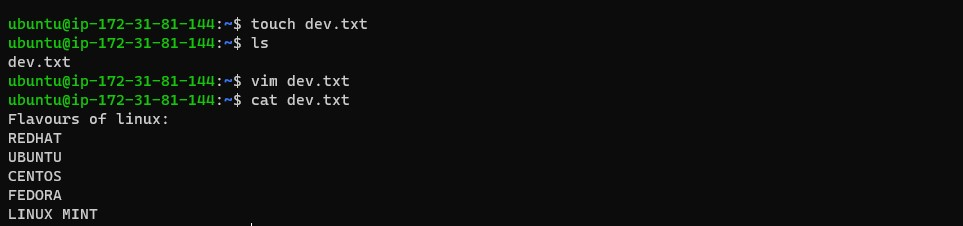
cat file_name To check what is written in a file.
Task 2:To change the access permissions of files.
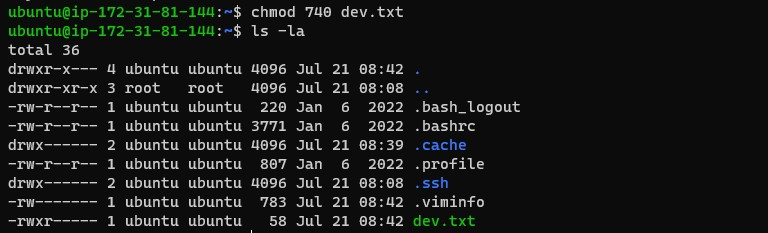
The 'chmod' command is used to change the access permissions of files and directories. The name is an abbreviation of change mode.
chmod <options> <mode> <dir/file_name>
There are 3 user classes in the Linux system:
owner(rwx)
group(rx)
other(rx)
The file permissions in Linux are the following three types:
r=Read permission.
w=Write permission.
x=Execute permission.
Values of rwx:
r=4, w=2, x=1
rwx=full permission to file.
chmod 777 <filename>
--- = no permission to file.
Task 3:To check which commands you have run till now.
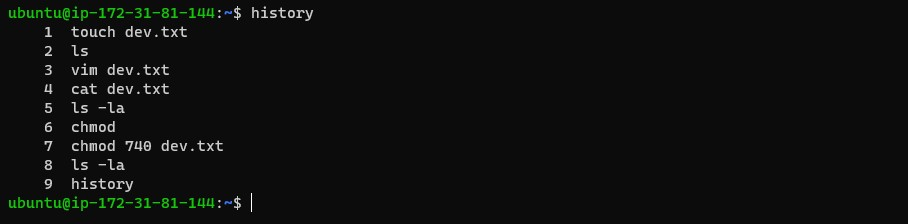
$ history To check which commands you have run till now.
Task 4:To remove a directory/ Folder.

$ rm -r <dir/folder_name> To remove a directory/folder or nested folder.
Task 5:To create a fruits.txt file and view the content.

touch <file_name>     To create a file
echo "Content to be added in file" > file_name  To add content in a file
cat <file_name>    To view the content of any text file.
Task 6: Add content in devops.txt (One in each line) - Apple, Mango, Banana, Cherry, Kiwi, Orange, Guava.
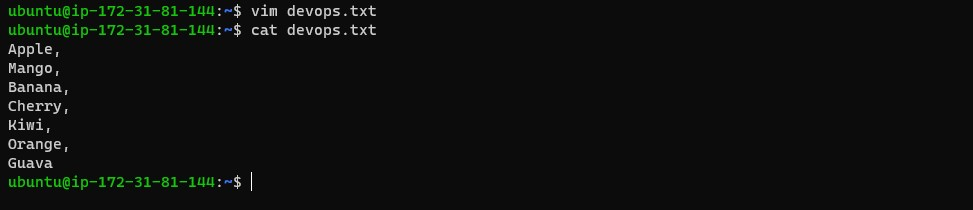
The 'vim' command is used to add content to a file. It can be used to edit all kinds of plain text. It is especially useful for editing programs.
vim devops.txt   To add the content
cat devops.txt   To view the content
Task 7:To Show only the top three fruits from the file.

head -n 3 <filename> To show top three content in the file
Task 8:To Show only the bottom three fruits from the file.

tail -n 3 <filename> To show bottom three content in the file
Task 9:To create another file Colors.txt and to view the content.

touch <file_name>     To create a file
echo "Content to be added in file" > file_name  To add content in a file
cat <file_name>    To view the content of any text file.
Task 10:Add content in Colors.txt (One in each line) - Red, Pink, White, Black, Blue, Orange, Purple, Grey.
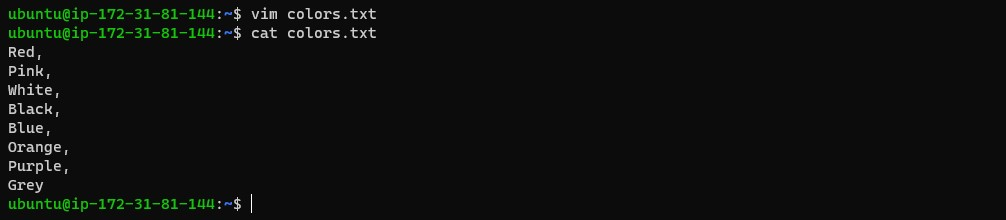
vim colors.txt   To add the content
cat colors.txt   To view the content
Task 11:To find the difference between fruits.txt and Colors.txt files.
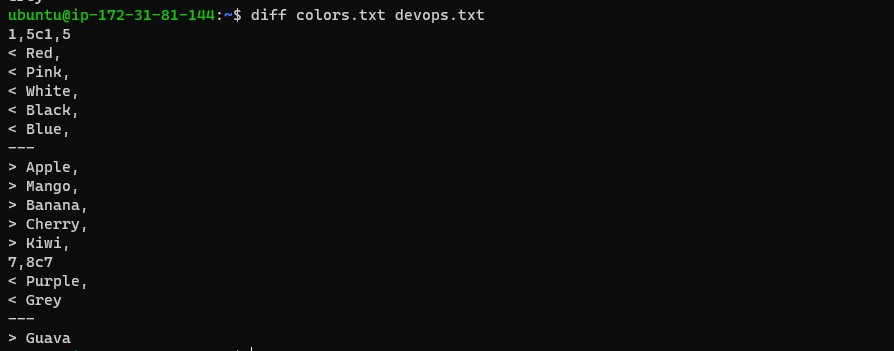
diff <firstfile.txt> <secondfile.txt>
Thank you for reading :)
Priyanka Varshney