Understanding package manager and systemctl..
#Day7 #DevOps #90daysofDevops #trainwithshubham #AWS #packagemanager #systemctl
👋 Hello, and welcome to my DevOps journey! 🚀 I am Priyanka Varshney,🛠️ As an aspiring DevOps engineer, I'm all about bridging the gap between development and operations, making software delivery seamless and efficient. 💻🔧 On this Hashnode blog, I'll be sharing my learnings, experiences and adventures as I dive deep into the world of continuous integration, automation, and cloud technologies. ☁️⚙️ Let's connect, learn, and grow as a vibrant DevOps community. Follow my Hashnode blog, and let's embrace the DevOps adventure together! 🤝🔗
What is a package manager in Linux?
In simpler words, a package manager is a tool that allows users to install, remove, upgrade, configure and manage software packages on an operating system. The package manager can be a graphical application like a software center or a command lines tool like apt-get.
You’ll often find me using the term ‘package’ in tutorials and articles, To understand package manager, you must understand what a package is.
What is a package?
A package is usually referred to as an application but it could be a GUI application, command line tool or a software library (required by other software programs). A package is essentially an archive file containing the binary executable, configuration file and sometimes information about the dependencies.
Different kinds of package managers
Package Managers differ based on the packaging system but the same packaging system may have more than one package manager.
For example, RPM has Yum and DNF package managers. For DEB, you have apt-get, aptitude command line-based package managers.
Install Docker using the package manager
Check if the system is up-to-date
sudo apt-get update
Install Docker
sudo apt-get install docker.io -y
Check the installed version of the docker
docker --version
Install Jenkins using the package manager
Jenkins requires the Java Runtime Environment (JRE)
Install java
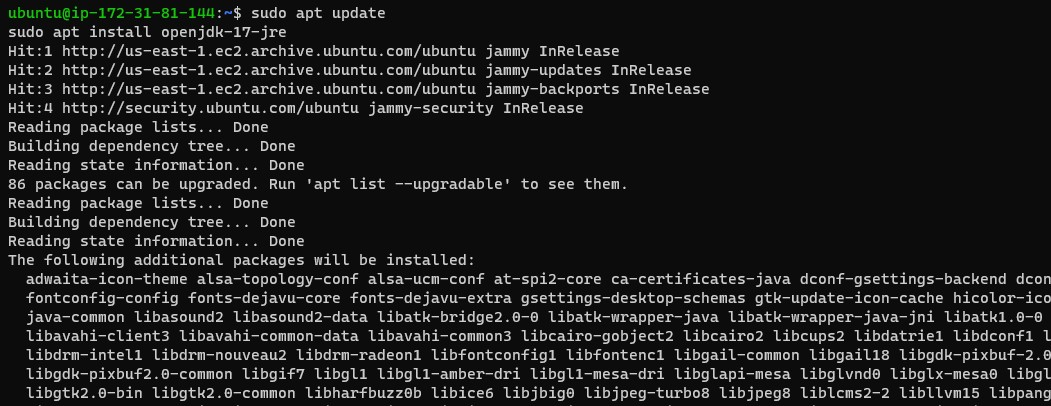
sudo apt update
sudo apt install openjdk-17-jre
Check the installed version of the java
java --version

Add the Jenkins repository
curl -fsSL https://pkg.jenkins.io/debian/jenkins.io-2023.key | sudo tee \
  /usr/share/keyrings/jenkins-keyring.asc > /dev/null
echo deb [signed-by=/usr/share/keyrings/jenkins-keyring.asc] \
  https://pkg.jenkins.io/debian binary/ | sudo tee \
  /etc/apt/sources.list.d/jenkins.list > /dev/null

Update Package manager
sudo apt-get update

Install Jenkins
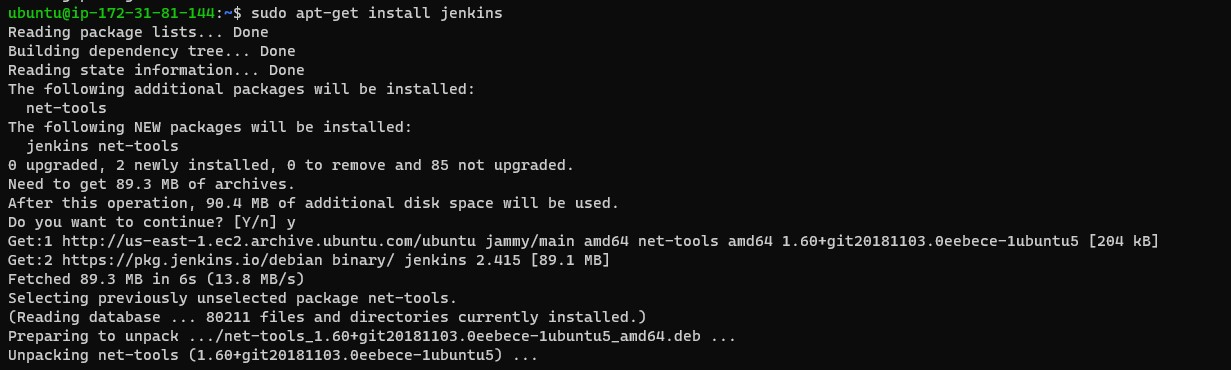
sudo apt-get install jenkins
To check the version of Jenkins
jenkins --version
systemctl and systemd
systemctl is used to examine and control the state of the “systemd” system and service manager. systemd is a system and service manager for Unix-like operating systems(most of the distributions, not all).
Check the status of the docker service in your system
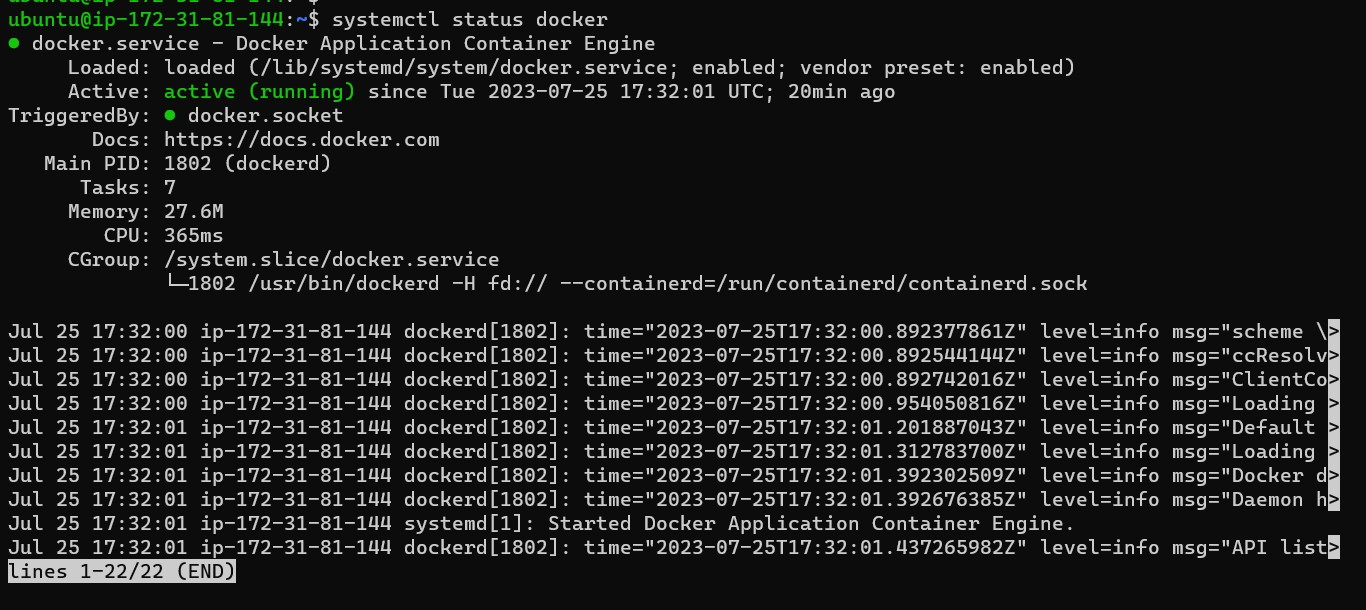
systemctl status docker
Stop the service, Jenkins
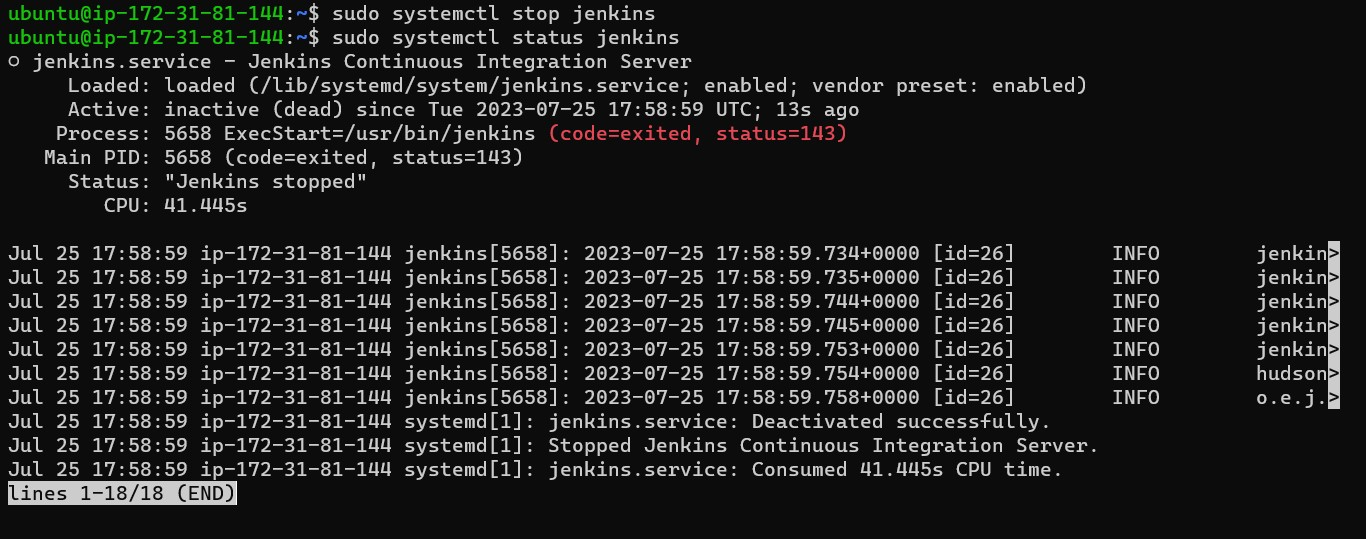
sudo systemctl stop jenkins
systemctl vs service
systemctl and service are both commands used in Linux-based operating systems to manage services, but they differ in their functionality and the systems they are associated with. systemctl is a more modern and powerful command used in systems that use systemd as their init system.
With systemctl, you can start, stop, restart, enable, disable, and check the status of services.
sudo systemctl status jenkins #Status of a service
sudo systemctl start jenkins  #Start a service
sudo systemctl stop jenkins   #Stop a service
sudo systemctl restart jenkins #retart a service
sudo systemctl enable jenkins  #enable a service
sudo systemctl disable jenkins  #disbale a service
service is a legacy command that was commonly used in systems with the SysVinit init system, which was prevalent before the adoption of systemd. While many modern distributions have switched to systemd, some older systems or specific setups might still use SysVinit or its variants.
service provides a simple interface to start, stop, and restart services, but it does not handle more advanced features like dependencies or system target states, as offered by Systemctl.
Examples of using service:
sudo service docker start  #Start a service
sudo service docker stop    #Stop a service
sudo service docker restart   #restart a service
sudo service docker status   #status of a service
Thank you for reading :)
Priyanka Varshney